
Optimize for AI Crawlers (2026): Guide to GPTBot, ChatGPT & More
Ensure AI crawlers like GPTBot & ChatGPT can read your site. Learn to fix JavaScript issues, manage crawler access, and optimize content for AI search in 2026. Get cited by AI.
Approximately 60% of Google searches are now zero-click — users get their answers directly from AI Overviews without visiting a webpage. Another 60% of all web searches in the US are AI-enabled. If AI crawlers cannot read your website, a growing majority of your potential audience will never know you exist.
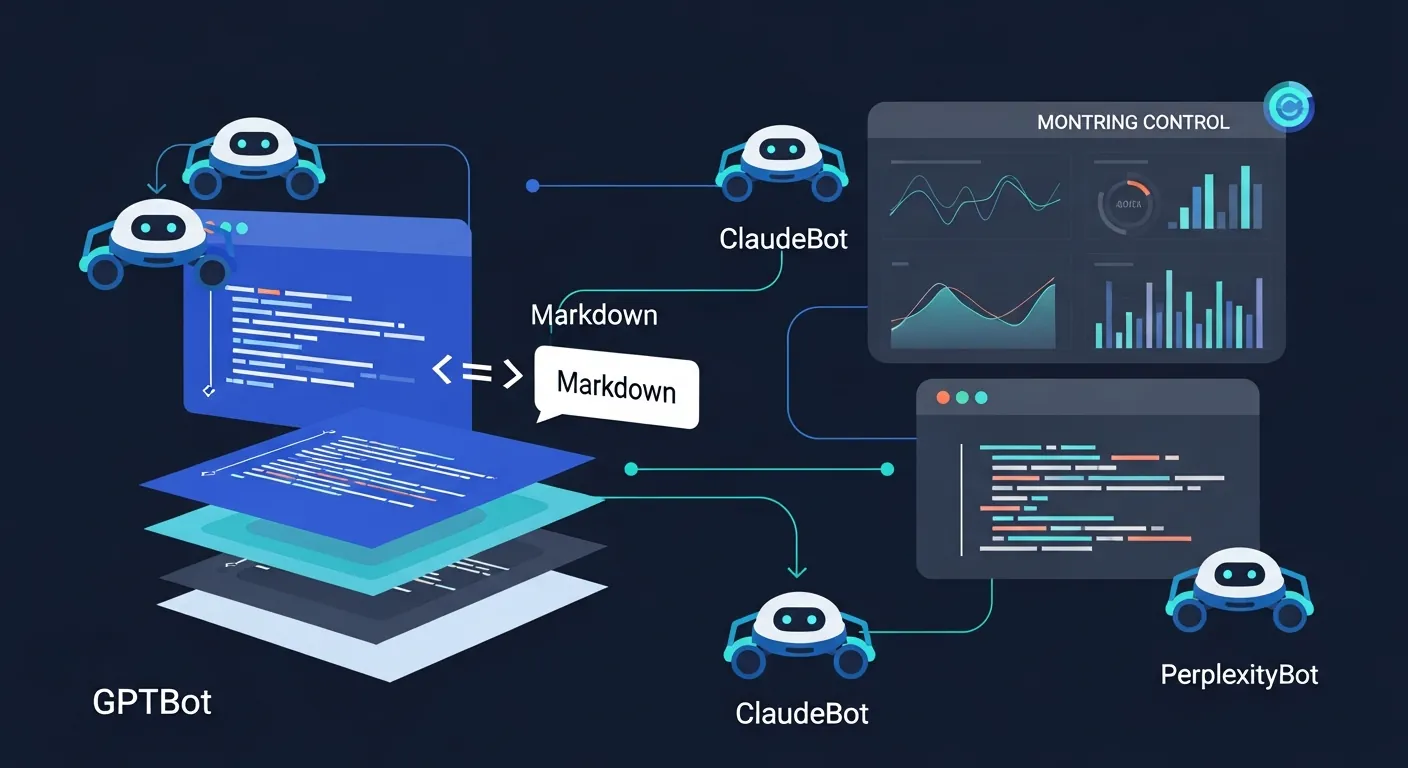
The problem is not a lack of content. It is that most websites were built for humans and Googlebot, not for the 20+ AI systems now crawling the web. OpenAI’s GPTBot alone generates roughly 569 million requests per month. Anthropic’s ClaudeBot adds another 370 million. Combined with PerplexityBot, GoogleOther, and others, AI crawlers now generate requests equivalent to about 28% of Googlebot’s total traffic volume.
This guide covers what these crawlers need, where most websites fail, and how to fix it — either manually or automatically.
Prefer to watch? This 7-minute explainer covers why most websites are invisible to AI crawlers, what the data actually says about llms.txt adoption, and the three fundamentals that determine whether your brand gets cited or skipped. The full technical breakdown — including tool comparisons and implementation steps — continues below.
The AI Crawlers Visiting Your Site Right Now
Traditional SEO focused on one crawler: Googlebot. Today, you need to account for an entirely different ecosystem. AI crawlers fall into two categories with very different implications for your business:
Indexer and training bots scrape the web to build the language model’s base knowledge. GPTBot is the most prominent. When these bots crawl your site, they are feeding your content into the model’s long-term memory — which means the quality and structure of what they see today affects how AI answers questions about your category for months to come.
Retrieval bots fetch real-time information to answer a specific user prompt right now. ChatGPT-User and PerplexityBot operate this way. When someone asks “what is the best tool for X,” the retrieval bot visits pages in real time to build the answer. If it cannot read your page in that moment — because of JavaScript rendering issues, slow response times, or blocked access — you are excluded from the answer entirely.
The distinction matters because you may want different access policies for each type. You might welcome retrieval bots (they drive citations and traffic) while restricting training bots (they consume your content without attribution). Most traditional robots.txt configurations cannot express this nuance — they block or allow a bot entirely, with no middle ground.
Where Most Websites Fail: The JavaScript Problem
The most common reason websites are invisible to AI search is painfully simple: the AI bots literally cannot read the content.
Unlike Googlebot, which can render JavaScript (albeit slowly), most AI crawlers cannot execute client-side JavaScript at all. Research shows up to 69% of AI crawlers fail to render JS-dependent content. If your essential text is hidden behind dynamic carousels, lazy loading, single-page application (SPA) frameworks, or tab interfaces, AI bots see an empty page.
This is not a niche edge case. Any website built on React, Vue, Angular, or Next.js (in client-side mode) without proper server-side rendering is likely invisible to most AI crawlers right now. Even server-rendered sites often deliver bloated HTML — navigation markup, script tags, styling code, and template scaffolding — that buries the actual content under thousands of tokens of irrelevant code.
Here is what AI crawlers actually need from your pages:
Clean, accessible HTML in the initial response. Your core content — the text, headings, tables, and structured data — must be present in the HTML that loads before any JavaScript executes. Server-side rendering (SSR) or static site generation (SSG) solves this for JavaScript frameworks.
Fast response times. Retrieval bots operate on tight timeouts, often 1 to 5 seconds. If your server takes 3 seconds to respond, the bot may abandon the request and cite a faster competitor instead.
Unblocked access. In July 2025, Cloudflare changed its default settings to automatically block AI bots. If you use Cloudflare or any CDN with bot management, your AI traffic may have dropped to zero overnight without you realizing it. Check your firewall and CDN settings to ensure legitimate AI user agents are whitelisted.
What Needs to Be Configured (And Why Manual Maintenance Breaks Down)
Getting your site AI-ready is not a single fix. It is a stack of configurations that must stay in sync as your content, your CMS, and the AI ecosystem all change independently:
robots.txt directives need to allow access to bots like GPTBot, ChatGPT-User, ClaudeBot, and PerplexityBot while potentially restricting training scrapers. As new AI systems launch (and they are launching constantly), your directives need updating.
llms.txt files provide AI crawlers with a structured index of your most important content. The llmstxt.org specification lets you point AI systems directly to your highest-value pages. For more on how this works, see What is llms.txt and Why It Matters.
Content delivery format determines how efficiently AI can parse your pages. A typical webpage delivers 10–50x more tokens than necessary because of HTML boilerplate. Converting your content to clean Markdown reduces token consumption dramatically and makes extraction more accurate.
Schema markup (FAQPage, HowTo, Article, Organization) acts as a direct label for AI. Nearly every page successfully cited by ChatGPT uses some form of structured data.
Cache headers and AI meta tags signal freshness and permissions to AI systems. AI models have a severe recency bias — 76.4% of cited pages were updated within the last 30 days — so your headers need to reflect when content was genuinely updated.
Content freshness itself must be maintained. Once content is older than 3 months, AI citations drop significantly. Your core pages need quarterly refreshes at minimum.
Any one of these is manageable as a one-time task. The problem is that they all need to stay coordinated. Every time you publish a new page, change a URL, update a product feature, or add a blog post, multiple configurations need updating. In practice, manual maintenance of this stack follows a predictable pattern: it gets done carefully once, partially updated a few times, and then quietly abandoned as the team’s attention moves to other priorities.
The Honest State of llms.txt Adoption
There has been significant buzz around llms.txt, and it deserves an honest assessment.
Web developer Dries Buytaert analyzed 400 million requests across Acquia’s hosting fleet and found only 5,000 requests for llms.txt files — virtually all from SEO audit tools, not actual AI crawlers. As of late 2025, major LLM providers had not confirmed using llms.txt in their pipelines.
That said, the picture is more nuanced than “it doesn’t work.” The llms.txt file is one signal in a much broader stack. The real value is not the file itself — it is the infrastructure around it: clean Markdown delivery that reduces token waste, proper crawler directives that distinguish search bots from training scrapers, and structured metadata that helps AI parse your content accurately. Those capabilities are actively used by AI systems today, regardless of whether they specifically parse the llms.txt file.
The practical takeaway: implementing llms.txt alone will not move the needle. Implementing the full optimization stack — where llms.txt is one component alongside Markdown conversion, schema markup, crawler management, and freshness signals — positions your site for both current AI behavior and the direction the standard is heading. The cost of adding it is near zero if the surrounding infrastructure is already in place.
How to Optimize Automatically with Legible
Legible is a Generative Engine Optimization platform that automates the entire stack described above. Instead of manually configuring each layer and hoping they stay in sync, Legible sits between your CMS and the AI systems crawling your site, handling the optimization continuously.
Here is what it automates:
AI-ready content delivery. Legible converts your pages into clean Markdown that is 80% lighter than raw HTML. This solves the JavaScript problem and the token bloat problem simultaneously — AI crawlers receive structured, efficient content regardless of how your site is built on the frontend.
Crawler monitoring and access controls. The live dashboard tracks 20+ AI crawler systems in real time — GPTBot, ClaudeBot, PerplexityBot, GoogleOther, and others — showing you who is visiting, how often, and what they are reading. Visibility presets (Conservative, Balanced, Open) let you manage access across all 16 AI signals Legible controls, so you can welcome retrieval bots while restricting training scrapers.
Auto-generated llms.txt and structured metadata. Legible generates and maintains your llms.txt file, ai-sitemap.json, JSON-LD, AI meta tags, and crawler-specific cache headers automatically. When your CMS content changes, everything updates in seconds.
CMS auto-sync. This is the part that eliminates the maintenance problem. Legible integrates with WordPress, Webflow, and Drupal through one-click installs. Every content change in your CMS triggers an automatic sync of the entire AI-optimized layer. There is no manual step to forget.
Chatbot and RAG deployment. Legible Connect lets you feed your AI-optimized content directly into customer support chatbots (Intercom, Zendesk) or your own RAG pipeline via API — extending the same optimization to internal AI systems, not just external search crawlers.
The free tier includes crawler monitoring and basic llms.txt generation, so you can see what is happening on your site before committing to paid plans.
The Manual Approach: What to Do If You Prefer DIY
If you want to handle optimization yourself, here is the priority order:
Step 1 — Fix rendering. Ensure your core content loads as static HTML in the initial server response. If you are on a JavaScript framework, implement SSR or SSG. Test by viewing your page source (not the rendered DOM) — if your content is not there, AI bots cannot see it either.
Step 2 — Unblock AI crawlers. Check your robots.txt, CDN settings, and WAF rules. Explicitly allow GPTBot, ChatGPT-User, ClaudeBot, PerplexityBot, and Googlebot. If you use Cloudflare, check the AI bot blocking settings that were enabled by default in July 2025.
Step 3 — Add schema markup. Implement FAQPage, HowTo, Article, and Organization schema on your key pages. This is the single highest-leverage manual optimization for AI citation.
Step 4 — Structure content for extraction. Use descriptive H2 and H3 headings that match how users phrase questions (e.g., “CRM Software Pricing for Small Businesses” not just “Pricing”). Put the key takeaway in the first 40–60 words of every section. Add comparison tables where relevant — content with tables earns 2.5x more citations.
Step 5 — Maintain freshness. Refresh core pages at least quarterly. Add a visible “Last Updated” timestamp — this alone can lift citation rates by 47%.
Step 6 — Build third-party mentions. AI models associate your brand with a topic based on how often you are mentioned across the web, even without backlinks. Getting mentioned in Reddit threads, YouTube videos, and industry blogs that AI already cites is the fastest way to build authority. Brands are 6.5x more likely to be cited through third-party mentions than through their own site alone.
This approach works, but it requires ongoing discipline. The rendering and unblocking steps are one-time fixes. Everything else — schema updates, content refreshes, robots.txt maintenance, freshness signals — is recurring work that compounds as your site grows.
Side-by-Side: Manual vs. Automated
| Manual (DIY) | Automated (Legible) | |
|---|---|---|
| JavaScript / rendering fix | Implement SSR/SSG yourself | Markdown conversion bypasses the problem entirely |
| Crawler access management | Edit robots.txt manually per bot | Visibility presets manage all 16 signals at once |
| llms.txt generation | Write and maintain by hand | Auto-generated, auto-synced with CMS |
| Schema markup | Add manually per page | JSON-LD generated automatically |
| Content freshness signals | Update timestamps manually | Cache headers and meta tags sync on every CMS change |
| Crawler monitoring | Parse server logs yourself | Live dashboard tracking 20+ AI systems |
| New AI bots | Discover and configure each one as they launch | Legible adds support automatically |
| Ongoing maintenance | Recurring manual work | Fully automated |
| Cost | Your team’s time | Free tier available |
Frequently Asked Questions
How do I check if AI crawlers can read my website right now?
The quickest test: view your page’s source code (not the rendered page in your browser). If your main content — headings, body text, tables — is present in the raw HTML, AI crawlers can likely read it. If the source is mostly JavaScript with minimal text, they probably cannot. For a more complete picture, Legible’s free tier shows you exactly which AI crawlers are visiting your site and how often.
Should I block AI training bots but allow search bots?
This is a common and reasonable approach. Training bots (like GPTBot in its indexing mode) consume your content to build the model’s general knowledge, often without attribution. Retrieval bots (like ChatGPT-User and PerplexityBot) fetch your content in real time to answer specific prompts, which leads to direct citations and traffic. Legible’s visibility presets make this distinction automatic — the “Balanced” preset allows search citations while restricting unauthorized training.
Is traditional SEO still important?
Yes. AI search optimization builds on top of traditional SEO — it does not replace it. 92.36% of Google AI Overview citations come from domains that already rank in the top 10 of standard search results. Strong traditional SEO gives you the domain authority that AI systems trust. GEO adds the technical and content layers that make your site readable and citable by AI specifically.
How long does it take to see results?
New content typically enters ChatGPT’s citation pool within 3–14 days of publication, provided the page is indexed in Bing and accessible to OAI-SearchBot. Pages with existing domain authority and topical relevance are cited faster. Technical fixes (unblocking crawlers, fixing rendering) can have an immediate effect since retrieval bots operate in real time.
What is the difference between robots.txt and llms.txt?
robots.txt tells crawlers which pages they are allowed or disallowed from accessing. llms.txt tells AI models which pages are most important and provides a structured overview of your site’s content. They serve different purposes and you need both. For more detail, see What is llms.txt and Why It Matters.
Related Reading
- Best Tool to Get Your Brand Cited by ChatGPT
- What is llms.txt and Why It Matters
- AI Search Optimization Tools for Small Business
- How to Set Up llms.txt on Webflow Without Coding
- Automated llms.txt Generators for WordPress
- The AI Gold Rush Is Breaking Your Content
- Legible vs. Cloudflare Markdown for Agents
- Best Surfer SEO Alternative for AI Visibility
- Implementation Docs & Getting Started
Make your site AI-ready
Join leading companies making their content perfectly legible to AI agents and LLMs.
Get started for freeRelated posts
Top AI SEO & GEO Tools for Small Business (2026)
Discover the leading AI SEO and GEO tools for small businesses in 2026. Compare features, pricing, and find the perfect platform to boost your brand's visibility in AI search results.
Read more llms.txtTop WordPress llms.txt Generators: Free Plugins & SaaS (2026)
Discover the best automated llms.txt generators for WordPress in 2026. Compare free plugins, SaaS platforms, and web tools to optimize your site for AI crawlers. Find the perfect fit for your needs and budget.
Read more llms.txtSet Up llms.txt on Webflow: Manual vs. Automated (2026 Guide)
Learn to add llms.txt to Webflow without code. Compare manual setup vs. automated generation with Legible to ensure AI crawlers find your content and boost your site's visibility.
Read more